14 Best Study Apps for Students in 2026 (Free & AI-Powered)

Last Updated: August 2026
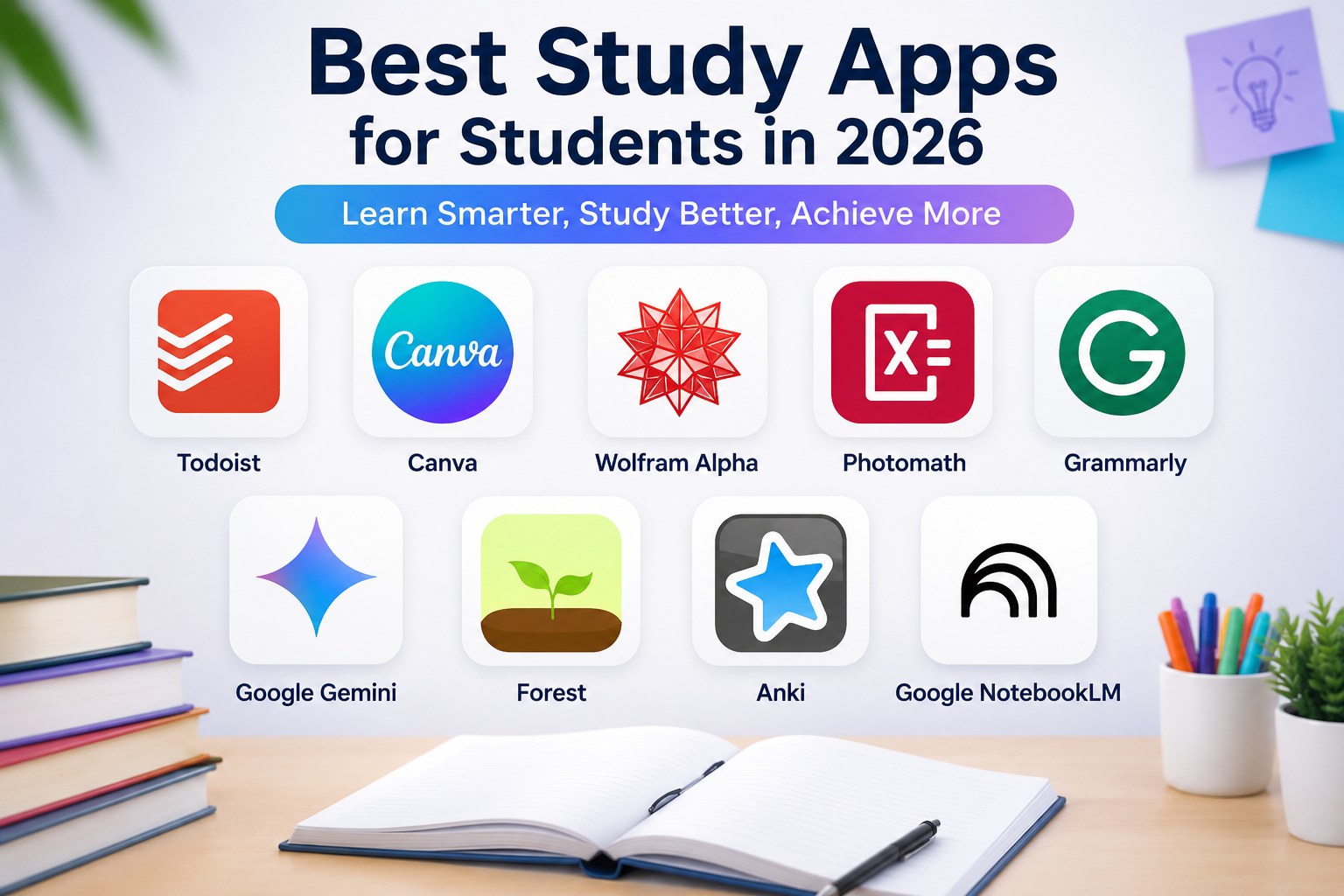
Finding the right study app in 2026 isn’t as easy as it used to be. Every month, new AI-powered learning apps promise better grades, smarter notes, and faster homework help. But the truth is, not every app is worth your time.Best Study Apps for Students
Some apps are perfect for organizing notes, while others help you prepare for exams, understand difficult concepts, improve writing, or stay focused during long study sessions.
To make your decision easier, we’ve researched and compared the best study apps available today. We evaluated each app based on ease of use, AI features, pricing, platform availability, and overall value for students.Best Study Apps for Students
Whether you’re a high school student, a college learner, or a university student, this guide will help you choose the right study app for your learning style and academic goals.Best Study Apps for Students
Quick Answer: What Is the Best Study App for Students in 2026?
If you’re short on time, here’s a quick overview of our top recommendations.
| Need | Best App |
| 🏆 Best Overall | ChatGPT |
| 📖 Best Research Assistant | Google NotebookLM |
| 📝 Best Note-Taking | Microsoft OneNote |
| 🧠 Best Flashcards | Anki |
| 📚 Best Exam Preparation | Quizlet |
| 📅 Best Productivity | Notion |
| 🎯 Best Focus | Forest |
| ✍️ Best Writing Assistant | Grammarly |
Study Apps Comparison Table
| # | Study App | Best For | Free Plan | Official Website | ||||||
| 1 | ChatGPT | AI Study Assistant, Homework, Writing | ✅ Yes | https://chatgpt.com | ||||||
| 2 | Google NotebookLM | Research, PDF Analysis, Study Notes | ✅ Yes | https://notebooklm.google.com | ||||||
| 3 | Microsoft OneNote | Note-Taking & Organization | ✅ Yes | https://www.microsoft.com/microsoft-365/onenote | ||||||
| 4 | Quizlet | Flashcards & Exam Preparation | ✅ Yes | https://quizlet.com | ||||||
| 5 | Anki | Flashcards & Memory Retention | ✅ Yes | https://apps.ankiweb.net | ||||||
| 6 | Notion | Study Planning & Productivity | ✅ Yes | https://www.notion.so | ||||||
| 7 | Forest | Focus & Time Management | ✅ Limited | https://www.forestapp.cc | ||||||
| 8 | Grammarly | Grammar & Academic Writing | ✅ Yes | https://www.grammarly.com | ||||||
| 9 | Google Gemini | AI Learning & Research | ✅ Yes | https://gemini.google.com | ||||||
| 10 | Khan Academy | Free Online Learning | ✅ Yes | https://www.khanacademy.org | ||||||
| 11 | Photomath | Math Problem Solving | ✅ Yes | https://photomath.com | ||||||
| 12 | Wolfram Alpha | Advanced Math & Science | ✅ Yes | https://www.wolframalpha.com | ||||||
| 13 | Canva | Presentations & Study Projects | ✅ Yes | https://www.canva.com | ||||||
| 14 | Todoist | Task & Assignment Management | ✅ Yes | https://todoist.com | ||||||
1: ChatGPT – The Best AI Study Partner for Students in 2026
⭐⭐⭐⭐⭐ Our Rating: 5/5
Best For
- Homework help
- Research
- Essay writing
- Brainstorming
- Exam revision
- Daily learning
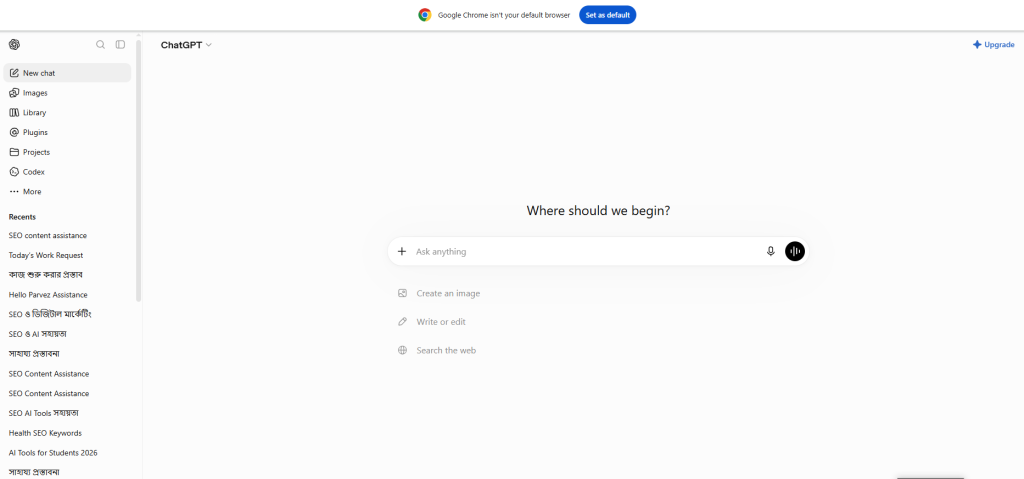
ChatGPT has become one of the most useful learning tools for students in 2026. Instead of switching between multiple websites, you can ask questions, summarize chapters, generate quizzes, understand difficult concepts, and even build personalized study plans—all from a single conversation.Best Study Apps for Students
Whether you’re writing an assignment, preparing for an exam, or trying to understand a complex topic, ChatGPT can save hours of study time when used responsibly.Best Study Apps for Students
Key Features
- AI homework assistance
- Instant explanations
- Essay writing support
- Quiz generation
- Chapter summaries
- Language translation
- Coding assistance
- Study planning
- Brainstorming ideas
Why Students Love ChatGPT
✔ Explains difficult topics in simple language.
✔ Saves hours of research time.
✔ Helps improve writing skills.
✔ Works across almost every subject.
✔ Available on mobile and desktop.
Pros
✅ Easy for beginners
✅ Free plan available
✅ Supports multiple languages
✅ Fast responses
✅ Excellent for learning new concepts
Cons
❌ AI can occasionally make mistakes.
❌ Important facts should always be verified from trusted academic sources.
Pricing
- Free Plan Available
- Paid Plans Available
Platform Support
- Android ✅
- iPhone ✅
- Windows ✅
- macOS ✅
- Web Browser ✅
AI Features
| Feature | Available |
| AI Tutor | ✅ |
| Homework Help | ✅ |
| Essay Writing | ✅ |
| Quiz Generator | ✅ |
| Text Summarization | ✅ |
| Translation | ✅ |
Who Should Use ChatGPT?
ChatGPT is ideal for:
- School students
- College students
- University students
- Online learners
- Teachers
- Researchers
- Competitive exam candidates
Real-Life Example
Imagine you have a biology exam tomorrow and need to revise five chapters quickly. Instead of reading every page again, you can ask ChatGPT to summarize each chapter, explain difficult concepts in simple terms, and generate practice questions. Best Study Apps for Students.
Official Website
👉 ChatGPT: https://chatgpt.com
Quick Verdict
If you’re looking for one study app that can help with writing, research, homework, revision, brainstorming, and productivity, ChatGPT is one of the strongest choices available in 2026.
2. Google NotebookLM – AI Assistant for Students
⭐⭐⭐⭐⭐ Our Rating: 4.9/5
Best For
- Research projects
- PDF reading
- Study notes
- Assignment preparation
- Exam revision
- Long textbooks
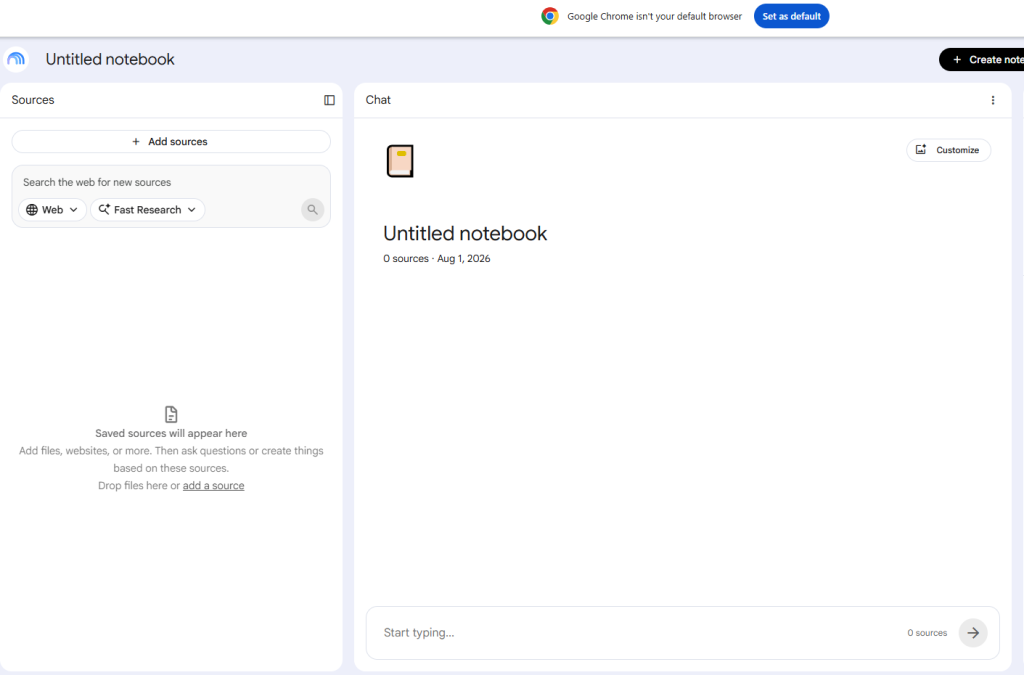
Unlike a traditional Google NotebookLM is designed to help students learn from their own study materials. You can upload PDFs, lecture notes, Google Docs, or research papers and ask questions based on those documents.Instead of searching the internet, NotebookLM focuses on your uploaded content, making it one of the best AI research tools for students in 2026. Best Study Apps for Students.
Key Features
- AI-powered document analysis
- PDF summaries
- Smart note organization
- Study guide generation
- Question & answer from uploaded files
- AI-generated learning summaries
- Source-based responses
Why Students Love NotebookLM
✔ Makes long research papers easier to understand.
✔ Creates quick study guides.
✔ Saves hours during revision.
✔ Keeps all study materials in one place.
✔ Excellent for university assignments.
Pros
✅ Free to use
✅ Accurate document-based answers
✅ Great for research and revision
✅ Clean and simple interface
✅ Works directly with your study materials
Cons
❌ Requires your own documents for the best results.
❌ Not designed for solving every homework question.
❌ Some features may change depending on your Google account or region.
Pricing
- Free Plan Available
Platform Support
- Web Browser ✅
AI Features
| Feature | Available |
| AI Research | ✅ |
| PDF Summary | ✅ |
| AI Study Guide | ✅ |
| AI Notes | ✅ |
| Source Citation | ✅ |
Who Should Use NotebookLM?
NotebookLM is perfect for:
- University students
- Researchers
- Thesis writers
- Master’s students
- Students who read large PDFs
- Anyone preparing research-based assignments
Real-Life Example
Suppose your teacher gives you a 60-page PDF before an exam. Instead of reading every page repeatedly, you can upload the file to NotebookLM, ask for chapter summaries, review key concepts, and generate questions to test your understanding. Best Study Apps for Students.
What’s New in 2026?
- Improved document understanding
- Better AI-generated study guides
- Faster answers from uploaded sources
- More natural conversations about your notes
Best Alternative
If you need an AI tool that can answer general questions beyond your uploaded documents, ChatGPT may be a better choice.
Official Website
👉 https://notebooklm.google.com
Quick Verdict
Google NotebookLM is one of the best AI study tools for students who work with textbooks, lecture notes, PDFs, and research papers. It helps transform large amounts of information into organized, easy-to-review study materials.
3. Microsoft OneNote – Best Note-Taking App for Students
⭐⭐⭐⭐⭐ Our Rating: 4.8/5
Best For
- Class notes
- Lecture organization
- Subject management
- Digital notebooks
- Group study
- Daily study planning
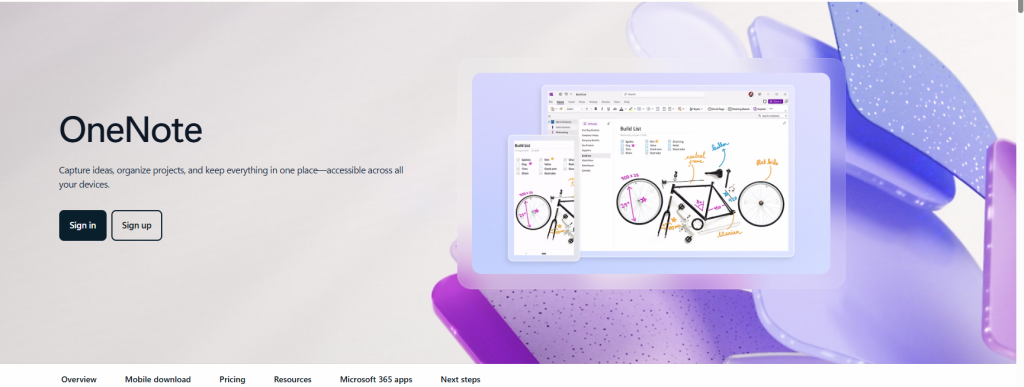
Keeping your study notes organized can make learning much easier, and Microsoft OneNote is one of the best digital notebook apps available today. Instead of carrying multiple notebooks, you can organize every subject in one place using notebooks, sections, and pages.Whether you’re taking lecture notes, inserting images, recording audio, or creating to-do lists, OneNote offers a flexible workspace that syncs across devices. Best Study Apps for Students.
Key Features
- Unlimited digital notebooks
- Handwritten notes
- Voice recording
- Image support
- Cloud synchronization
- Collaboration tools
- Microsoft 365 integration
Why Students Love OneNote
✔ Organizes every subject neatly.
✔ Syncs across devices.
✔ Supports handwriting and typing.
✔ Great for long-term note management.
✔ Completely free for most users.
Pros
✅ Easy to organize
✅ Cross-platform support
✅ Rich formatting options
✅ Cloud backup
✅ Excellent for classroom learning
Cons
❌ Can feel overwhelming at first.
❌ Some advanced Microsoft features require additional services.
Pricing
- Free
Platform Support
- Android ✅
- iPhone ✅
- Windows ✅
- macOS ✅
- Web Browser ✅
AI Features
| Feature | Available |
| AI Writing | Limited |
| Smart Search | ✅ |
| Cloud Sync | ✅ |
| Voice Notes | ✅ |
Who Should Use OneNote?
OneNote is ideal for:
- School students
- College students
- University students
- Teachers
- Online learners
- Students managing multiple subjects
Real-Life Example
Imagine you attend four different classes every day. Instead of carrying several notebooks, you can create one notebook in OneNote and separate each subject into its own section. Best Study Apps for Students.
What’s New in 2026?
- Improved handwriting recognition
- Better synchronization across devices
- Faster search inside notebooks
- Enhanced collaboration features
Best Alternative
If you’re looking for a more flexible workspace that combines notes, databases, and project management, Notion is another excellent option.
Official Website
Quick Verdict
Microsoft OneNote remains one of the best note-taking apps for students in 2026. Its organization features, cross-device syncing, and flexible workspace make it a reliable choice for everyday learning. Best Study Apps for Students.
4. Quizlet – Best Study App for Exam Preparation & Flashcards
⭐⭐⭐⭐⭐ Our Rating: 4.8/5
Best For
- Exam preparation
- Flashcards
- Memorization
- Vocabulary learning
- Self-testing
- Daily revision
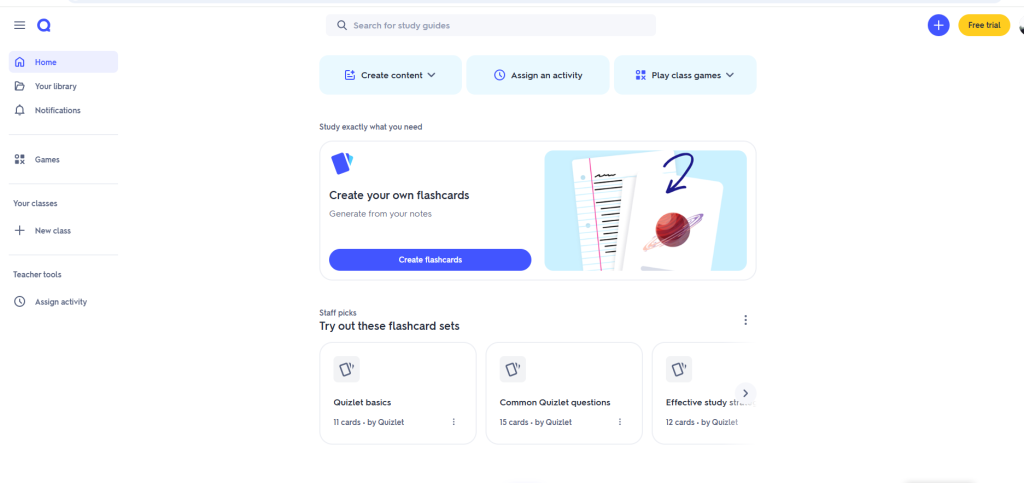
Preparing for exams can be stressful, especially when you have a lot of information to remember. Quizlet makes revision easier by turning your study material into interactive flashcards, quizzes, and practice tests.Instead of reading the same notes repeatedly, you can review key concepts using different learning modes that help improve memory and recall. Best Study Apps for Students.
Key Features
- Digital flashcards
- AI-powered study assistance
- Practice tests
- Learn mode
- Matching games
- Shared study sets
Why Students Love Quizlet
✔ Makes revision more interactive.
✔ Great for memorizing difficult topics.
✔ Thousands of ready-made study sets.
✔ Easy to study anytime using your phone.
✔ Suitable for both individual and group learning.
Pros
✅ Beginner-friendly interface
✅ Free plan available
✅ Excellent for exam revision
✅ Supports multiple subjects
✅ Available on Android, iPhone, and the web
Cons
❌ Some advanced learning tools require a Quizlet Plus subscription.
❌ Public study sets may vary in quality, so it’s a good idea to review them carefully.
Pricing
- Free Plan Available
- Quizlet Plus (Premium Features)
Platform Support
- Android ✅
- iPhone ✅
- Web Browser ✅
AI Features
| Feature | Available |
| AI Study Assistant | ✅ |
| AI Practice Questions | ✅ |
| Flashcards | ✅ |
| Practice Tests | ✅ |
| Progress Tracking | ✅ |
Who Should Use Quizlet?
Quizlet is recommended for:
- School students
- College students
- University students
- Language learners
- Medical students
- Students preparing for competitive exams
Real-Life Example
Imagine you have a history exam next week with over 100 important terms to remember. Instead of reading the same chapter again and again, you can create flashcards in Quizlet and test yourself every day.
What’s New in 2026?
- Improved AI-powered study recommendations
- Smarter personalized learning sessions
- Better progress tracking
- Faster flashcard creation tools
Best Alternative
If you prefer a completely customizable flashcard system with spaced repetition, Anki is an excellent alternative.
Official Website
Visit the official Quizlet website: https://quizlet.com
Quick Verdict
Quizlet remains one of the best study apps for exam preparation in 2026. If your goal is to memorize information faster, practice regularly, and improve long-term retention, it’s an excellent choice. Best Study Apps for Students.
Which Study App Should You Choose?
Still not sure which app is right for you? Here’s a quick recommendation based on your study needs.
| If You Need… | Recommended App |
| Homework & AI Help | ChatGPT |
| Research & PDF Summaries | Google NotebookLM |
| Digital Note-Taking | Microsoft OneNote |
| Exam Revision | Quizlet |
| Flashcards | Anki |
| Productivity & Planning | Notion |
| Stay Focused | Forest |
| Better Writing | Grammarly |
Quick Tips Before Choosing a Study App
Before downloading any study app, keep these tips in mind:
- Choose an app based on your learning style, not just its popularity.
- Start with the free version before paying for a subscription.
- Pick one or two apps that work well together instead of installing too many.
- Always review AI-generated answers with your textbooks or trusted academic sources.
- Use study apps consistently—they work best when they become part of your daily routine.
5. Notion – Best Study Planning App
⭐⭐⭐⭐⭐ Our Rating: 4.9/5
Best For
- Study planning
- Assignment management
- Class schedules
- Project organization
- Daily productivity
- Group projects
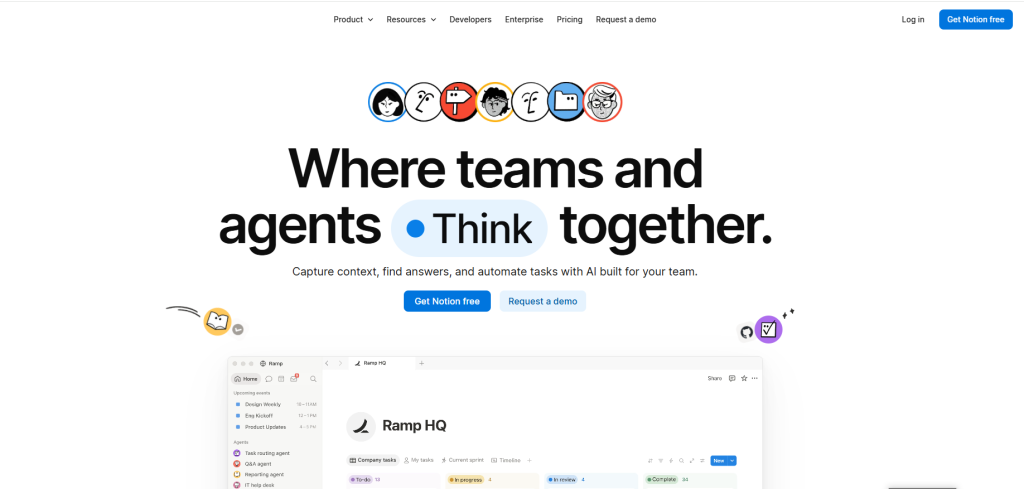
Being organized is just as important as studying. If your notes are scattered, deadlines are hard to track, or group projects become confusing, Notion can help bring everything together.Instead of using separate apps for notes, to-do lists, calendars, and project tracking, Notion combines them into one workspace. Best Study Apps for Students.
Key Features
- Smart note-taking
- Task & assignment management
- Study planner templates
- Calendar integration
- AI writing assistance
- Database organization
- Team collaboration
- Cloud synchronization
Why Students Love Notion
✔ Keeps every subject organized.
✔ Perfect for semester planning.
✔ Easy collaboration with classmates.
✔ Thousands of free templates.
✔ Works on every device.
Pros
✅ Beautiful interface
✅ Highly customizable
✅ Excellent for planning
✅ Free personal plan
✅ Powerful organization tools
Cons
❌ New users need time to learn.
❌ Some AI capabilities and advanced features have usage limits or require higher-tier plans.
Pricing
- Free Plan Available
- Paid Plans Available
Platform Support
- Android ✅
- iPhone ✅
- Windows ✅
- macOS ✅
- Web Browser ✅
AI Features
| Feature | Available |
| AI Writing | ✅ |
| AI Summaries | ✅ |
| AI Search | ✅ |
| AI Meeting Notes | ✅ |
| AI Research | ✅ |
Who Should Use Notion?
Notion is perfect for:
- University students
- College students
- Project-based learners
- Researchers
- Students managing multiple courses
Real-Life Example
Suppose you have five subjects this semester. Instead of using separate notebooks and apps, you can build one Notion dashboard with class schedules, lecture notes, assignments, revision checklists, and exam dates. Best Study Apps for Students.
Best Alternative
If your main goal is taking lecture notes instead of managing projects, Microsoft OneNote is a simpler alternative.
Official Website
Quick Verdict
Notion is one of the best productivity apps for students who want to manage notes, assignments, deadlines, and projects in a single workspace.
6. Forest – Best Focus App for Students
⭐⭐⭐⭐⭐ Our Rating: 4.7/5
Best For
- Staying focused
- Avoiding phone distractions
- Pomodoro study sessions
- Building better study habits
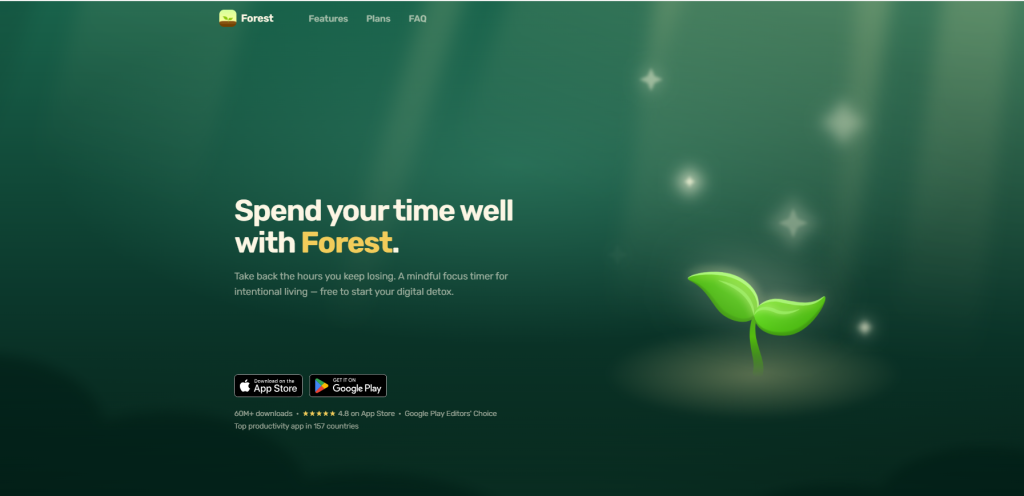
Many students lose hours scrolling through social media while studying. Forest helps solve this problem by turning focus into a simple challenge.If you leave the app to use distracting apps before your timer ends, your tree stops growing.
Key Features
- Focus timer
- Pomodoro technique
- Virtual tree planting
- Study statistics
- Daily focus goals
- Achievement system
Why Students Love Forest
✔ Makes studying fun.
✔ Reduces phone distractions.
✔ Encourages consistent study habits.
✔ Easy to use.
Pros
✅ Simple interface
✅ Effective focus timer
✅ Great motivation
✅ Helps build discipline
Cons
❌ Not designed for taking notes or completing homework.
❌ Premium features vary by platform.
Pricing
Free features available on some platforms; additional paid options may be offered depending on the device and app store.
Platform Support
- Android ✅
- iPhone ✅
Who Should Use Forest?
- Students who get distracted easily.
- Anyone using the Pomodoro study method.
- Competitive exam candidates.
- Remote learners.
Real-Life Example
If you often check social media every few minutes while studying, set a 45-minute Forest session before you begin. Your goal becomes simple: keep the tree growing until the timer ends. Small daily focus sessions can build better study habits over time. Best Study Apps for Students.
Best Alternative
If you need a full productivity system rather than just a focus timer, Notion is a stronger choice.
Official Website
Quick Verdict
Forest is one of the simplest yet most effective apps for reducing distractions and improving study focus.
7. Grammarly – Best AI Writing Assistant for Students
⭐⭐⭐⭐⭐ Our Rating: 4.8/5
Best For
- Essay writing
- Assignment editing
- Grammar correction
- Email writing
- Research papers
- Academic writing
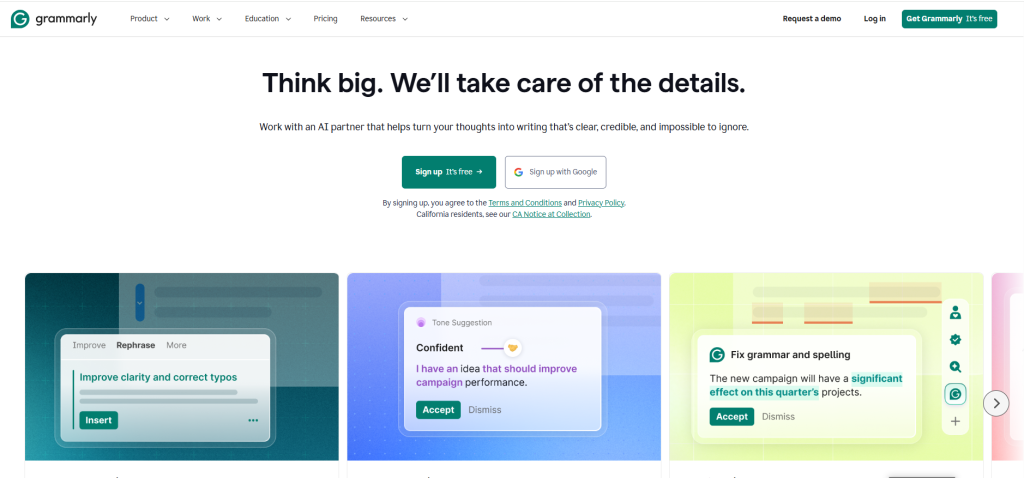
Writing is a major part of student life, whether you’re preparing essays, assignments, reports, or research papers. Grammarly helps students improve grammar, spelling, punctuation, clarity, and tone while writing.Instead of simply correcting mistakes, Grammarly also explains why a sentence should be changed, helping students become better writers over time. Best Study Apps for Students.
Key Features
- Grammar checker
- Spelling correction
- AI writing assistance
- Sentence rewriting
- Tone detection
- Plagiarism checker (Premium)
- Vocabulary suggestions
Why Students Love Grammarly
✔ Corrects grammar instantly.
✔ Improves writing clarity.
✔ Easy to use on desktop and mobile.
✔ Saves time during editing.
✔ Helpful for academic writing.
Pros
✅ Free version available
✅ Easy for beginners
✅ Supports multiple platforms
✅ Real-time writing suggestions
Cons
❌ Premium features require a subscription.
❌ Always review AI suggestions to ensure they match your intended meaning and any academic requirements.
Pricing
- Free Plan Available
- Premium Plans Available
Platform Support
- Android ✅
- iPhone ✅
- Windows ✅
- macOS ✅
- Web Browser ✅
AI Features
| Feature | Available |
| Grammar AI | ✅ |
| AI Rewrite | ✅ |
| Tone Suggestions | ✅ |
| AI Writing Help | ✅ |
Who Should Use Grammarly?
- School students
- College students
- University students
- Researchers
- Bloggers
- Content writers
Real-Life Example
Imagine you’ve finished writing a 2,000-word assignment. Before submitting it, you run it through Grammarly. It highlights grammar issues helping you polish your work. Even after using Grammarly, it’s still a good idea to review the final version yourself and follow your institution’s academic guidelines. Best Study Apps for Students.
Best Alternative
If you need an AI assistant that helps with brainstorming and explaining concepts in addition to writing, ChatGPT is a strong alternative.
Official Website
Quick Verdict
Grammarly is one of the best writing assistants for students who want cleaner, more professional writing while improving their grammar over time.
8. Anki – Best Flashcard App for Long-Term Memory
⭐⭐⭐⭐⭐ Our Rating: 4.9/5
Best For
- Memorization
- Medical students
- Language learning
- Competitive exams
- Long-term revision
Anki is one of the most powerful flashcard apps available because it uses spaced repetition, a study method that helps you review information at the right time before you forget it. Best Study Apps for Students.
Key Features
- Spaced repetition
- Custom flashcards
- Image support
- Audio support
- Shared flashcard decks
- Progress tracking
- Offline learning
Why Students Love Anki
✔ Excellent for memorization.
✔ Saves study time.
✔ Great for difficult subjects.
✔ Works offline.
Pros
✅ Free on many platforms
✅ Powerful learning system
✅ Huge flashcard community
✅ Offline support
Cons
❌ Beginners may need time to learn the interface.
❌ Creating quality flashcards takes effort.
Pricing
Free on most platforms. Some website may have pricing models.
Platform Support
- Android ✅
- iPhone ✅
- Windows ✅
- macOS ✅
- Linux ✅
Who Should Use Anki?
- Medical students
- Nursing students
- Language learners
- Law students
- Competitive exam candidates
Real-Life Example
Suppose you’re learning medical terminology. Instead of rereading the same textbook chapters every day, you create flashcards in Anki. The app schedules each review session based on how well you remember each term, helping you focus on the concepts you are most likely to forget. Best Study Apps for Students.
Best Alternative
If you prefer ready-made flashcards and a simpler interface, Quizlet may be a better option.
Official Website
Quick Verdict
Anki is one of the best study apps for students who need to remember large amounts of information over weeks or months.
Best Study App Combinations
Using two or more apps together can create a more effective study routine.
| Goal | Recommended Combination |
| Homework + Research | ChatGPT + Google NotebookLM |
| Notes + Planning | OneNote + Notion |
| Focus + Revision | Forest + Quizlet |
| Essay Writing | Grammarly + ChatGPT |
| Long-Term Memory | Anki + Quizlet |
| Research + Writing | NotebookLM + Grammarly |
Pro Tips from BestUpToEveryday
✔ Don’t install every study app at once.
✔ Keep all your class notes in one place instead of spreading them across multiple apps.
✔ Use AI tools to support your learning, but always verify important facts with trusted educational resources.
✔ Review your notes regularly—consistent study habits are more effective than last-minute cramming.
✔ Build a daily study routine that includes planning, focused study, revision, and self-testing.
9. Photomath – Best Math Learning App
⭐⭐⭐⭐⭐ Our Rating: 4.8/5
Best For
- Algebra
- Geometry
- Calculus
- Homework
- Step-by-step math learning
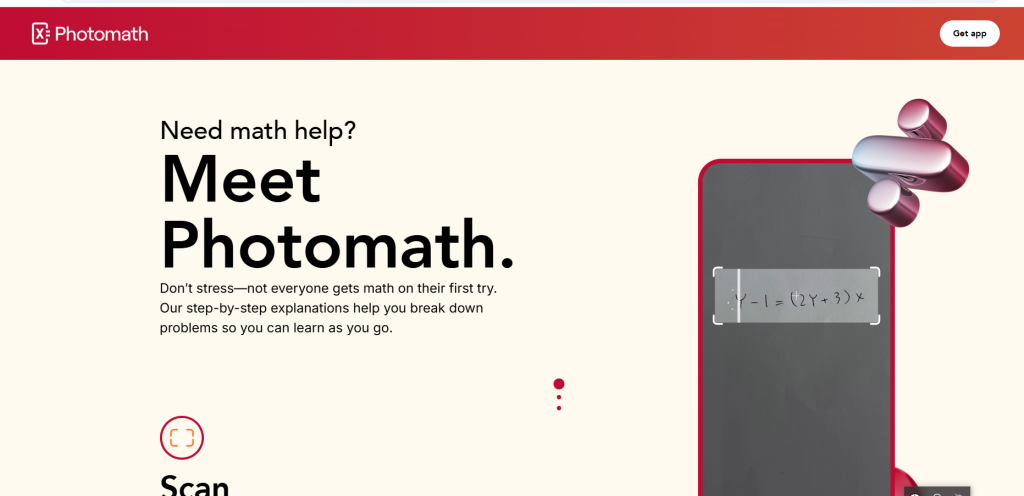
Photomath is one of the most popular math learning apps for students. Simply scan a math problem using your phone’s camera or enter it manually, and the app provides a step-by-step solution to help you understand how the answer is reached—not just what the answer is. Best Study Apps for Students.
Key Features
- Camera-based math scanner
- Step-by-step explanations
- Smart calculator
- Multiple solving methods
- Supports elementary to college-level math
Pros
✅ Easy to use
✅ Free version available
✅ Excellent for learning math concepts
Cons
❌ Best suited for mathematics only.
❌ Advanced learning features are included with Photomath Plus.
Official Website
Visit the official Photomath website.
Quick Verdict
If mathematics is your weakest subject, Photomath is one of the best apps to help you understand solutions instead of simply memorizing answers.
10. Wolfram|Alpha – Best for Advanced Math & Science
⭐⭐⭐⭐⭐ Our Rating: 4.9/5
Best For
- Mathematics
- Physics
- Engineering
- Chemistry
- Statistics
- College assignments
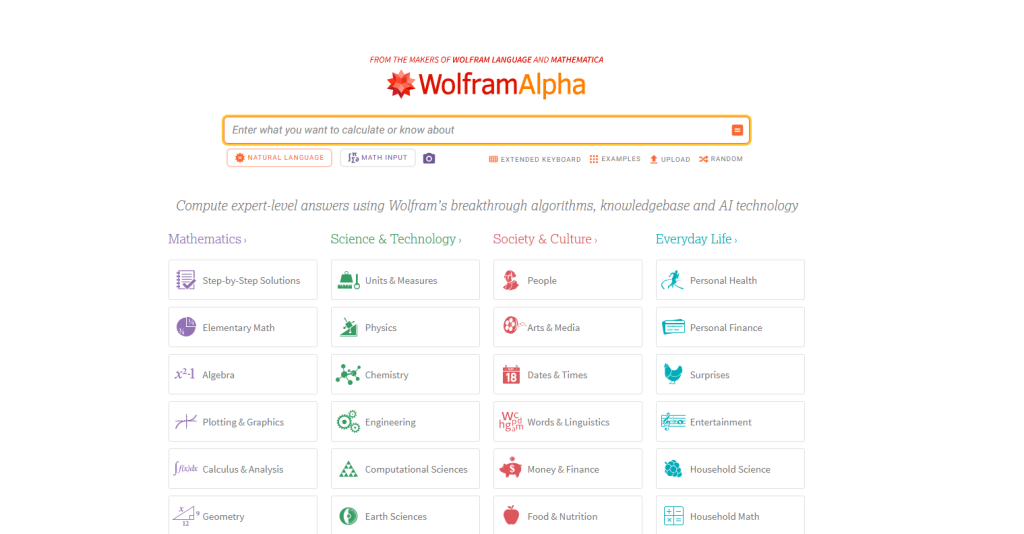
Wolfram|Alpha is a computational knowledge engine designed to solve complex academic problems. It is especially valuable for university students studying STEM subjects because it provides calculations, graphs, formulas, and step-by-step solutions for many topics. Best Study Apps for Students.
Key Features
- Advanced calculations
- Step-by-step solutions (Pro)
- Graph generation
- Scientific data
- Formula support
- File analysis (Pro)
Pros
✅ Highly accurate for STEM subjects
✅ Excellent for university-level learning
✅ Powerful computational engine
Cons
❌ Can feel challenging for beginners.
❌ Access to certain premium AI tools requires a Pro subscription.
Official Website
Visit the official Wolfram|Alpha website.
Quick Verdict
If you’re studying engineering, mathematics, physics, or data science, Wolfram|Alpha is one of the strongest academic tools available.
Free vs Paid Study Apps
| App | Free Version | Premium Available |
| ChatGPT | ✅ | ✅ |
| Google NotebookLM | ✅ | Feature availability varies |
| Microsoft OneNote | ✅ | Optional Microsoft services |
| Quizlet | ✅ | ✅ |
| Anki | ✅ | Platform-dependent |
| Notion | ✅ | ✅ |
| Forest | Limited | ✅ |
| Grammarly | ✅ | ✅ |
| Photomath | ✅ | ✅ |
| Wolfram | Alpha | ✅ |
Which Study App Is Right for You?
| Your Goal | Recommended App |
| Homework Help | ChatGPT |
| AI Research | Google NotebookLM |
| Notes | Microsoft OneNote |
| Exam Revision | Quizlet |
| Long-Term Memory | Anki |
| Study Planning | Notion |
| Focus | Forest |
| Better Writing | Grammarly |
| Math Learning | Photomath |
| Advanced Calculations | Wolfram|Alpha |
11. Canva – Best Study App for Presentations, Visual Notes & Creative Projects
⭐⭐⭐⭐☆ Our Rating: 4.8/5
Best For
- Creating classroom presentations
- Designing study notes
- Group assignments
- Infographics
- Posters and reports
- Mind maps
- Resume and portfolio design
- Visual learning
Overview
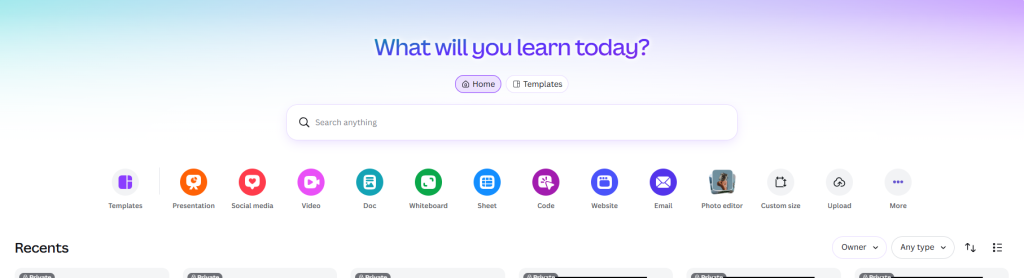
Studying isn’t always about reading textbooks or taking notes. Many assignments require presentations, posters, reports, or visual projects that are both informative and engaging. Canva helps students create professional-looking designs without needing graphic design experience. Best Study Apps for Students.
With thousands of ready-made templates and an intuitive drag-and-drop editor, Canva makes it easy to produce polished academic work in minutes. Students can customize presentation slides, create visual study materials, design project covers, and even build resumes for internships or scholarship applications.
In recent years, Canva has also introduced AI-powered tools that simplify the design process. Features like Magic Design, Magic Write, AI image generation, and automatic background removal help students complete creative tasks faster while maintaining a professional appearance. Best Study Apps for Students.
Key Features
- Thousands of education-friendly templates
- AI-powered Magic Design
- Magic Write for content generation
- Presentation maker
- Infographic creator
- Mind map templates
- Resume and CV builder
- Poster and flyer designer
- Team collaboration
- Cloud storage with automatic saving
- Built-in icons, illustrations, and stock photos
- AI image generation (supported plans)
Why Students Love Canva
Students appreciate Canva because it makes academic projects look polished without requiring advanced design skills. The simple interface allows beginners to create attractive presentations and study materials in a short amount of time. Best Study Apps for Students.
Many learners also enjoy collaborating with classmates in real time. Instead of sharing multiple files, everyone can edit the same project together, making group assignments much easier to manage. Best Study Apps for Students.
Pros
✅ Beginner-friendly interface
✅ Large collection of free templates
✅ Excellent for presentations and assignments
✅ AI-powered design tools save time
✅ Supports real-time collaboration
✅ Works on both desktop and mobile devices
Cons
❌ Some premium templates require a Canva Pro subscription.
❌ Advanced AI tools are not included in every free account.
❌ A stable internet connection is needed for most features.
Pricing
- Free Plan: ✅ Available
- Canva Pro: Paid subscription with additional templates, AI tools, premium graphics, and advanced design features.
- Canva for Education: Free for eligible teachers and students through participating educational institutions.
Platform Support
- Android ✅
- iPhone ✅
- Windows ✅
- Web Browser ✅
AI Features
| Feature | Available |
| Magic Design | ✅ |
| Magic Write | ✅ |
| AI Image Generator | ✅ |
| Background Remover | ✅ (Premium) |
| Presentation Design Assistant | ✅ |
| AI Text Suggestions | ✅ |
Who Should Use Canva?
Canva is an excellent choice for:
- School students
- College students
- University students
- Teachers
- Content creators
- Online learners
- Scholarship applicants
- Anyone who wants to create professional academic designs quickly
Real-Life Example
Imagine your teacher assigns a group presentation on climate change, and your team has only two days to prepare. Instead of spending hours designing slides from scratch, you can choose a presentation template in Canva, customize it with your research, add charts and icons, and collaborate with your teammates in real time. Best Study Apps for Students.
What’s New in 2026?
Canva continues to expand its AI capabilities to support students and educators. Recent improvements include smarter presentation suggestions, faster AI-assisted design generation, enhanced collaboration features, and more flexible editing tools that help users create high-quality academic content with less effort. Best Study Apps for Students.
Best Alternative
If your primary focus is writing essays or getting AI-powered homework assistance instead of designing presentations and visual projects, ChatGPT may be a better option. Students looking for an all-in-one workspace for note-taking and project planning can also consider Notion. Best Study Apps for Students.
Official Website
12. Google Gemini – Best AI Learning Assistant for Research, Writing & Everyday Study
⭐⭐⭐⭐⭐ Our Rating: 4.9/5
Best For
- AI-powered homework assistance
- Research and information gathering
- Essay writing and editing
- Brainstorming project ideas
- Summarizing study materials
- Language learning
- Everyday academic tasks
Overview
Google Gemini has become one of the most capable AI learning assistants available to students in 2026. Built by Google, it combines advanced artificial intelligence with access to Google’s ecosystem, helping students research topics, understand complex concepts, improve writing, and organize study materials more efficiently. Best Study Apps for Students.
Unlike a traditional search engine that simply displays links, Gemini provides direct explanations, generates summaries, and assists with academic writing in a conversational format. Best Study Apps for Students.
Key Features
- AI-powered question answering
- Homework assistance
- Essay writing and editing
- Research support
- Brainstorming ideas
- Language translation
- Coding assistance
- Google Workspace integration
- Multi-language support
- Image understanding (supported versions)
- Real-time conversational learning
Why Students Love Google Gemini
One of Gemini’s biggest strengths is its ability to explain challenging topics in a simple and structured way. Instead of reading multiple articles, students can receive a concise explanation and then ask follow-up questions until the concept becomes clear. Best Study Apps for Students.
Many learners also appreciate how well Gemini works within Google’s ecosystem. Students who already use Google Docs, Drive, or Gmail can complete research, organize information, and draft assignments without constantly switching between different platforms. Best Study Apps for Students.
Pros
✅ Easy to use for beginners
✅ Free version available
✅ Excellent for research and writing
✅ Supports multiple languages
✅ Fast and natural AI conversations
✅ Integrates with Google services
✅ Helpful for coding and technical subjects
Cons
❌ Some advanced AI capabilities are available only through paid plans.
❌ AI-generated answers may occasionally contain inaccuracies.
❌ Academic information should always be verified with trusted sources.
Pricing
- Free Plan: ✅ Available
- Google AI Pro: Paid subscription that unlocks additional AI capabilities, higher usage limits, and premium features.
Platform Support
- Android ✅
- iPhone ✅
- Windows ✅
- macOS ✅
- Web Browser ✅
AI Features
| Feature | Available |
| AI Tutor | ✅ |
| Homework Help | ✅ |
| Essay Writing | ✅ |
| Research Assistance | ✅ |
| Text Summarization | ✅ |
| Translation | ✅ |
| Coding Support | ✅ |
| Image Understanding | ✅ |
Who Should Use Google Gemini?
Google Gemini is an excellent choice for:
- High school students
- College and university students
- Online learners
- Researchers
- Teachers
- Programming students
- Anyone looking for a reliable AI study assistant
Real-Life Example
Instead of spending hours searching through dozens of websites, you can ask Gemini to explain the major causes, create a timeline of important events, summarize key developments, and suggest ideas for your presentation. Best Study Apps for Students.
What’s New in 2026?
Google continues to improve Gemini with faster responses, stronger reasoning capabilities, better support for multimodal learning, and deeper integration with Google Workspace. Students can now collaborate more efficiently across documents, analyze images more effectively, and receive more personalized AI assistance for everyday learning tasks. Best Study Apps for Students.
Best Alternative
If you want an AI assistant that focuses specifically on your own documents, PDFs, and lecture notes, Google NotebookLM is a better option. If you’re looking for a more versatile AI companion for brainstorming, writing, coding, and interactive conversations across a wide range of subjects, ChatGPT is another excellent alternative. Best Study Apps for Students.
Official Website
Quick Verdict
Google Gemini is one of the most powerful AI study assistants available in 2026. It helps students research topics, write assignments, summarize information, and understand complex concepts through natural conversations. Its integration with Google’s ecosystem makes it especially convenient for learners who already rely on Google Docs, Drive, and other Workspace tools. If you’re looking for a smart, flexible, and AI-powered learning companion, Google Gemini is a strong addition to your study toolkit. Best Study Apps for Students.
13. Khan Academy – Best Free Learning Platform for Students
⭐⭐⭐⭐⭐ Our Rating: 4.9/5
Best For
- Learning school subjects for free
- Math practice
- Science and computer science
- SAT and standardized test preparation
- Building strong academic fundamentals
- Self-paced learning
- Video-based lessons
- Practice exercises and quizzes
Overview
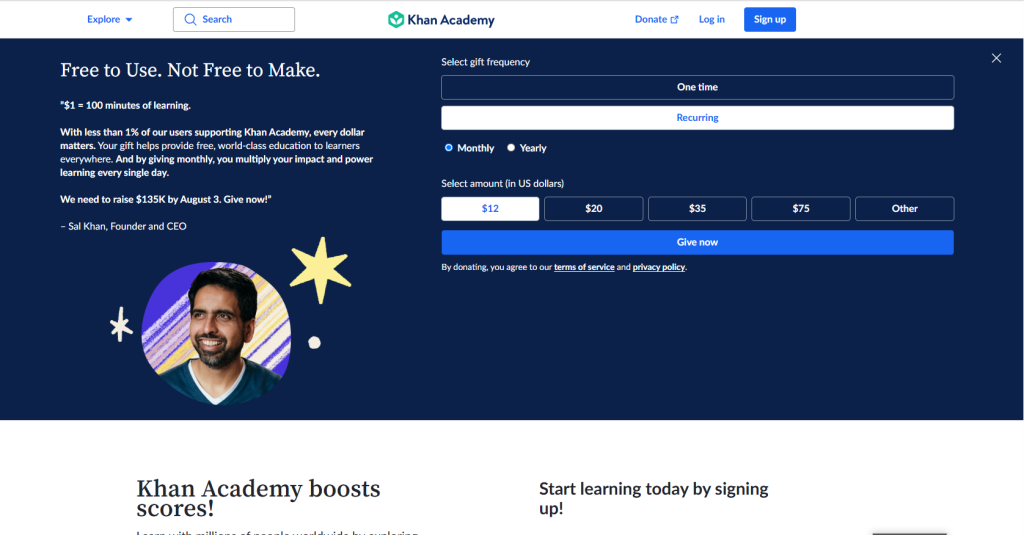
Khan Academy has remained one of the most trusted online learning platforms for students worldwide, and in 2026 it continues to provide high-quality education at no cost. Instead of simply offering answers, the platform focuses on helping students understand concepts through structured lessons, interactive exercises, and step-by-step explanations. Best Study Apps for Students.
Whether you’re struggling with algebra, preparing for a science exam, or learning a completely new subject, Khan Academy allows you to study at your own pace.The platform also continues to expand its AI-powered learning experience through Khanmigo, an intelligent tutor designed to guide students with hints, explanations, and personalized support rather than simply giving away answers. Best Study Apps for Students.
Key Features
- Thousands of free video lessons
- Interactive practice exercises
- Personalized learning paths
- AI tutor with Khanmigo
- Progress tracking
- Unit quizzes and course challenges
- Math, science, economics, history, and computing courses
- Teacher and parent dashboards
- Mobile and web access
Why Students Love Khan Academy
Students appreciate Khan Academy because it teaches concepts instead of encouraging memorization. Every lesson is designed to build understanding step by step, making difficult topics easier to grasp. Best Study Apps for Students.
The platform is especially popular among students preparing for exams because they can practice questions, identify weak areas, and monitor their improvement over time.Students can pause lessons, replay videos, and study whenever it fits their schedule. Best Study Apps for Students.
Pros
✅ Completely free for most educational content
✅ Covers a wide range of school and college subjects
✅ High-quality video lessons
✅ Interactive quizzes and practice exercises
✅ Personalized learning experience
✅ Trusted by millions of students and educators worldwide
Cons
❌ Some AI-powered features, such as Khanmigo, may have limited availability or require a subscription.
❌ Advanced university-level topics are less extensive than specialized learning platforms.
❌ Course availability may vary depending on your region and language.
Pricing
- Core Learning Platform: ✅ Free
- Khanmigo AI: Available in supported regions with applicable pricing or educational access.
Platform Support
- Android ✅
- iPhone ✅
- Windows ✅
- macOS ✅
- Web Browser ✅
AI Features
| Feature | Available |
| AI Tutor (Khanmigo) | ✅ |
| Personalized Learning | ✅ |
| Practice Recommendations | ✅ |
| Progress Tracking | ✅ |
| Interactive Learning Support | ✅ |
| Quiz Assistance | ✅ |
Who Should Use Khan Academy?
Khan Academy is ideal for:
- School students
- High school learners
- College students
- Parents supporting children’s education
- Teachers
- Self-learners who want structured courses
Real-Life Example
Imagine you’re preparing for a mathematics final exam and realize you’re struggling with quadratic equations. Instead of searching through random videos online, you can open Khan Academy, follow a structured lesson, complete guided practice exercises, and take quizzes to measure your progress. Best Study Apps for Students.
What’s New in 2026?
Khan Academy continues to improve its learning experience with enhanced AI assistance through Khanmigo, smarter progress tracking, updated practice questions, and expanded educational resources. Best Study Apps for Students.
Best Alternative
If you need an AI assistant that can answer questions, brainstorm ideas, and help with writing, ChatGPT or Google Gemini may be a better choice. However, if your goal is to master academic subjects through structured lessons and practice exercises, Khan Academy remains one of the strongest free learning platforms available. Best Study Apps for Students.
Official Website
Quick Verdict
Khan Academy is one of the best free educational platforms for students in 2026. With comprehensive courses, interactive exercises, and AI-powered learning support through Khanmigo, it helps students strengthen their understanding rather than simply memorizing answers. If you’re looking for a reliable, high-quality, and budget-friendly way to improve your academic performance, Khan Academy is an excellent choice.
14. Todoist – Best Study Planner & Task Management App for Students
⭐⭐⭐⭐☆ Our Rating: 4.8/5
Best For
- Managing homework and assignments
- Planning daily study schedules
- Tracking project deadlines
- Organizing class tasks
- Building productive study habits
- Team collaboration
- Time management
- Goal setting
Overview
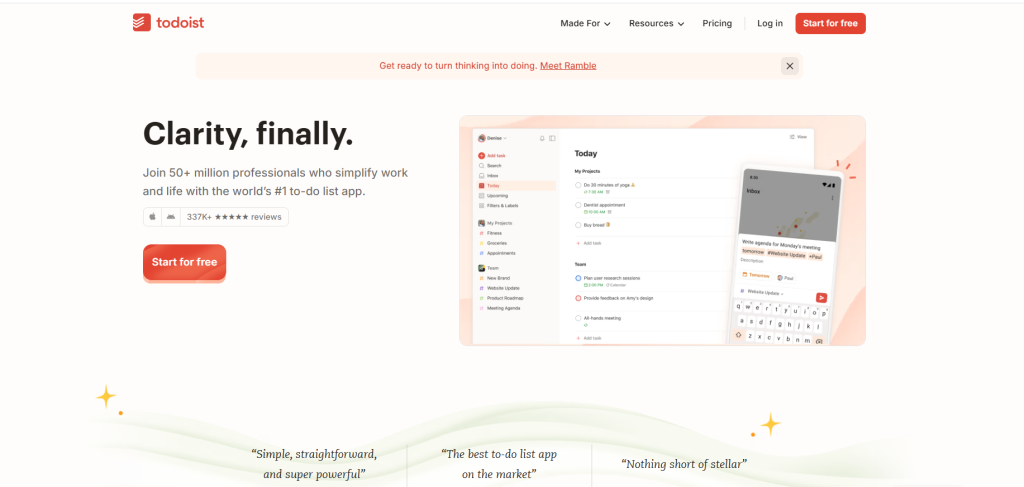
Keeping up with assignments, exams, and personal responsibilities can quickly become overwhelming, especially during busy academic periods. Todoist is a powerful productivity app that helps students organize everything in one place, making it easier to stay on top of deadlines without feeling stressed.Instead of relying on paper planners or scattered notes, students can create task lists, set reminders, prioritize important work, and track their daily progress. Best Study Apps for Students.
The clean interface makes it simple to manage both short-term assignments and long-term academic goals.One of Todoist’s biggest strengths is its intelligent task organization . This reduces the risk of forgetting homework, missing submissions, or falling behind during the semester.Whether you’re balancing multiple classes or preparing for final exams, Todoist helps transform a busy study schedule into a clear and manageable plan. Best Study Apps for Students.
Key Features
- Smart task management
- Daily and weekly study planning
- Assignment tracking
- Due date reminders
- Priority levels
- Recurring tasks
- Labels and filters
- Project organization
- Productivity reports
- Calendar integration
- Cross-device synchronization
- Team collaboration
Why Students Love Todoist
Students appreciate Todoist because it keeps their academic life organized without adding unnecessary complexity. The app allows users to break large projects into smaller, manageable tasks, making even challenging assignments feel less overwhelming. Best Study Apps for Students.
Its reminder system also helps students stay consistent with their study routine. Instead of trying to remember every deadline, Todoist sends notifications at the right time, helping users focus more on learning and less on planning. Whether you’re managing a single homework assignment or coordinating a group project, Todoist adapts to different study styles and workloads. Best Study Apps for Students.
Pros
✅ Clean and beginner-friendly interface
✅ Excellent task and deadline management
✅ Easy-to-use reminder system
✅ Works across multiple devices
✅ Supports recurring study schedules
✅ Free plan covers most student needs
Cons
❌ Some advanced productivity features require a paid subscription.
❌ Not designed for note-taking or document editing.
❌ Collaboration tools are more limited on the free plan.
Pricing
- Free Plan: ✅ Available
- Todoist Pro: Unlocks reminders, calendar layouts, advanced filters, productivity insights, and additional project management features.
Platform Support
- Android ✅
- iPhone ✅
- Windows ✅
- macOS ✅
- Linux ✅
- Web Browser ✅
Productivity Features
| Feature | Available |
| Task Management | ✅ |
| Study Planner | ✅ |
| Due Date Reminders | ✅ |
| Priority Levels | ✅ |
| Recurring Tasks | ✅ |
| Calendar Integration | ✅ |
| Team Collaboration | ✅ |
| Productivity Tracking | ✅ |
Who Should Use Todoist?
Todoist is perfect for:
- High school students
- College and university students
- Online learners
- Competitive exam candidates
- Students managing multiple subjects
- Group project teams
- Anyone who wants better time management and productivity
Real-Life Example
Imagine you have three assignments due next week, a science presentation on Friday, and a mathematics exam on Monday. Instead of trying to remember everything, you can create separate projects in Todoist for each subject, assign deadlines, set reminders, and organize tasks by priority. As you complete each task, you can check it off your list, giving you a clear picture of your progress and reducing last-minute stress. Best Study Apps for Students.
What’s New in 2026?
Todoist continues to improve its productivity tools with smarter scheduling suggestions, enhanced calendar integration, faster synchronization across devices, and more flexible task organization. These updates make it easier for students to plan study sessions, manage deadlines, and maintain consistent learning habits throughout the academic year. Best Study Apps for Students.
Best Alternative
However, if your main goal is simple, reliable, and efficient task management, Todoist remains one of the best productivity apps for students.
Official Website
Quick Verdict
Todoist is one of the best study planning apps for students who want to stay organized and productive throughout the school year. Its intuitive task management system, reminders, and cross-device synchronization make it easy to keep track of assignments, exams, and long-term academic goals. If managing your workload is a challenge, Todoist can help you build better study habits and reduce the stress of missed deadlines. Best Study Apps for Students.
Frequently Asked Questions (FAQ)
Which is the best study app for students in 2026?
ChatGPT is one of the best all-around study apps because it can help with explanations, writing, brainstorming, revision, and study planning.
Which study app is completely free?
Microsoft OneNote and Google NotebookLM offer strong free experiences. Many other apps also provide free plans with optional premium features.
Which app is best for exam preparation?
Quizlet and Anki are excellent choices for revision and memorization.
Which app is best for taking notes?
Microsoft OneNote is one of the most complete note-taking apps for students.
Which app is best for mathematics?
Photomath is ideal for learning math step by step, while Wolfram|Alpha is better for advanced calculations and STEM subjects.
Are AI study apps safe for students?
Yes, when used responsibly. AI tools should support learning, not replace critical thinking or your own coursework.
Final Verdict
The best study app depends on your learning goals. There is no single app that is perfect for every student.If you need an AI tutor, choose ChatGPT.
If you read many PDFs and research papers, Google NotebookLM is an excellent option.For note-taking, Microsoft OneNote remains a reliable choice.
If you’re preparing for exams, Quizlet and Anki can help you remember information more effectively.Students who want better organization should consider Notion, while Forest is a great companion for staying focused.