Technology Skills to Learn: A Beginner’s Guide to Future-Ready Digital Skills

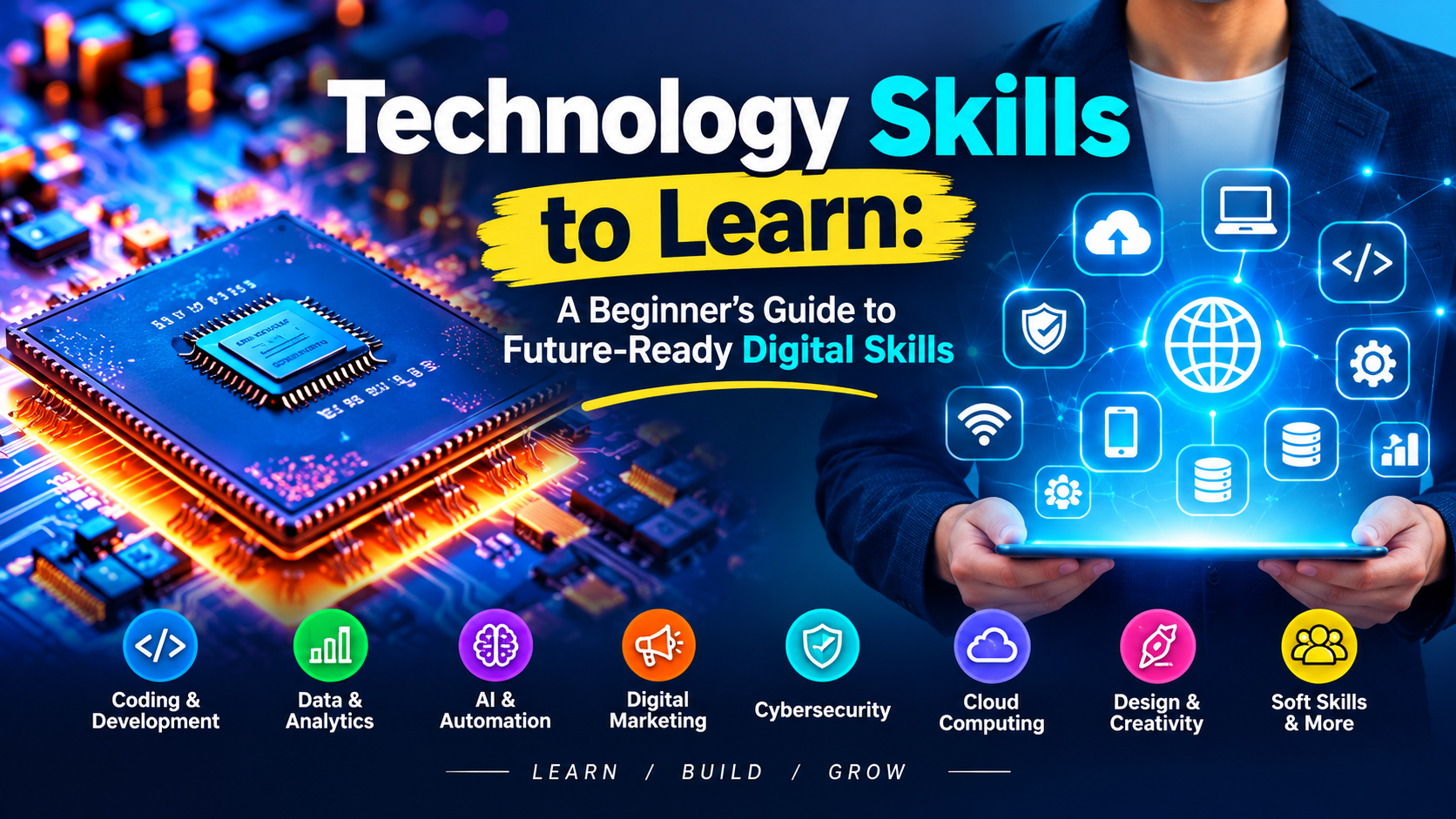
Technology is changing the way people learn, work, communicate, and build careers. You do not have to become a software engineer to benefit from these changes. Even basic knowledge of digital tools can help you work more efficiently, solve everyday problems, and discover new opportunities online.
For beginners, the biggest challenge is often deciding which technology skills to learn first. There are countless tools, platforms, and technologies available, and trying to learn everything at once can become confusing. Technology Skills to Learn A Beginner’s Guide to Future-Ready Digital Skills.
A better approach is to build a practical foundation and gradually add skills that match your personal goals.
This guide explores several useful technology skills for beginners and explains how you can start developing them step by step.
What are technology skills?

Technology skills are the abilities that help you use digital devices, software, online platforms, and modern technologies effectively.
Some skills are very basic, such as managing files, using a web browser, or working with documents. Others involve more specialized knowledge, including artificial intelligence, data analysis, cybersecurity, cloud services, website management, and digital communication.
The right skills depend on what you want to accomplish. A student, freelancer, marketer, business owner, and developer may all need different combinations of technology skills.
It is to become comfortable with digital tools and develop skills that are useful for your work or future plans. Technology Skills to Learn A Beginner’s Guide to Future-Ready Digital Skills.
Why should beginners learn technology skills?
Digital tools are now connected to many types of work. Businesses use online platforms to communicate with customers, organize information, promote products, manage projects, and analyze performance.
Technology skills can help beginners:
- Complete everyday digital tasks more confidently
- Work more efficiently
- Communicate through modern platforms
- Learn new tools faster
- Protect accounts and personal information
- Explore online career opportunities
- Adapt when technology changes
Technology also changes quickly. A tool that is popular today may be replaced or significantly improved later. Therefore, learning how to learn and adapt can be just as valuable as learning one particular application.
1.Basic computer and digital skills

Before moving into advanced technology, beginners should become comfortable with everyday computer tasks.
You should know how to organize folders, create and edit documents, manage downloads, install trusted applications, use keyboard shortcuts, and troubleshoot simple problems. Technology Skills to Learn A Beginner’s Guide to Future-Ready Digital Skills.
Basic knowledge of operating systems is also useful. Learn how to adjust settings, manage storage, connect devices, and understand common notifications.
These abilities may seem simple, but they create the foundation for almost every other digital skill.
How to practice
Start by organizing your own computer or phone. Create folders for documents, images, projects, and personal files. Practice moving, renaming, copying, and backing up files.
The more frequently you use these functions, the more naturally they become part of your workflow. Technology Skills to Learn A Beginner’s Guide to Future-Ready Digital Skills.
2.Internet and Online research skills
Knowing how to search the internet effectively is an important technology skill.
A search engine can produce thousands of results, but finding useful information requires more than typing a few words into a search box.
Learn how to create specific search queries, compare information from different sources, identify trustworthy websites, and distinguish facts from unsupported claims.
For example, instead of searching for a broad phrase such as “SEO,” you might search for “how to improve internal linking for a small website.” A more specific query can make it easier to find information that matches your actual question.
Why it matters
Strong research skills are useful for students, marketers, writers, freelancers, business owners, and almost anyone who works online. Technology Skills to Learn A Beginner’s Guide to Future-Ready Digital Skills.
They also help you learn other technology skills more efficiently.
3. Artificial Intelligence skills

Artificial intelligence has become an increasingly useful part of digital work.
A practical starting point is understanding how to use AI tools responsibly for tasks such as brainstorming, summarizing information, organizing ideas, generating drafts, or exploring solutions.
One useful skill is learning how to give clear instructions to AI systems. Instead of entering a vague request, explain the goal, provide relevant context, and specify the format you need. Technology Skills to Learn A Beginner’s Guide to Future-Ready Digital Skills.
A good starting point
Choose one AI tool and learn its basic features rather than jumping between many platforms.
Practice with real tasks such as creating an outline, improving a draft, generating ideas, or organizing research notes. This makes learning more practical. Technology Skills to Learn A Beginner’s Guide to Future-Ready Digital Skills.
4.Cybersecurity and online safety
As your digital activity increases, protecting your accounts and information becomes increasingly important.
Beginners should understand basic cybersecurity practices such as using separate passwords, enabling two-factor authentication, recognizing suspicious messages, keeping software updated, and avoiding questionable downloads.
You should also learn to identify common phishing attempts. A message may look as if it came from a familiar organization while actually directing you toward a fraudulent website. Technology Skills to Learn A Beginner’s Guide to Future-Ready Digital Skills.
Good cybersecurity is largely about developing careful habits.
Simple security habits
- Use strong and separate passwords
- Enable 2FA on important accounts
- Keep operating systems and apps updated
- Avoid clicking unexpected links
- Download software from trusted sources
- Review account login activity
- Keep backups of important files
You do not need advanced technical knowledge to begin protecting yourself online.
5.Data and spreadsheet skills
Data is used by businesses, educational institutions, marketers, and many other organizations.
Beginners can start by learning spreadsheet applications such as Excel or Google Sheets. Technology Skills to Learn A Beginner’s Guide to Future-Ready Digital Skills.
Useful skills include entering and organizing information, sorting data, applying filters, using basic formulas, and creating simple charts. Technology Skills to Learn A Beginner’s Guide to Future-Ready Digital Skills.
For example, a small business owner could use a spreadsheet to record product costs, sales, orders, or customer information. A student might use one to organize research or track expenses.
Where to start
Begin with simple functions such as SUM, AVERAGE, COUNT, and basic percentage calculations. Then gradually learn filters, conditional formatting, and more advanced formulas.
You do not need to become a data analyst to benefit from spreadsheet skills.
6.digital communication skills
Technology has changed how people communicate at work.
Email, messaging applications, video meetings, project-management platforms, and collaborative documents are now common parts of digital workflows. Technology Skills to Learn A Beginner’s Guide to Future-Ready Digital Skills.
Being able to communicate clearly through these tools is therefore an important technology-related skill.
Learn how to write professional emails, share files correctly, participate in online meetings, and organize information in collaborative platforms.
Why this skill matters
Good digital communication reduces misunderstandings and helps teams work together even when members are in different locations. Technology Skills to Learn A Beginner’s Guide to Future-Ready Digital Skills.
It is especially valuable for freelancers and remote workers who may rarely meet clients or colleagues face to face.
7.Cloud technology skills
Cloud services allow users to store, access, synchronize, and sometimes collaborate on files through internet-connected platforms.
Beginners may already use cloud technology without realizing it. Online storage, collaborative documents, photo backups, and web-based applications are common examples.
Start by learning how to upload files, organize folders, share documents safely, and manage access permissions. Technology Skills to Learn A Beginner’s Guide to Future-Ready Digital Skills.
A useful habit
When sharing a file, check who can access it. A document containing private information should not accidentally be available to everyone with a link.
Understanding basic cloud permissions can help prevent unnecessary privacy problems. Technology Skills to Learn A Beginner’s Guide to Future-Ready Digital Skills.
8.Basic web and SEO skills
If you want to work online, basic website and search engine optimization knowledge can be extremely useful.
You do not have to become a professional web developer immediately. Start by understanding how websites are structured and how search engines discover and organize pages.
Basic SEO concepts include:
- Keyword research
- Search intent
- Title optimization
- Meta descriptions
- Internal linking
- Image optimization
- Content structure
- Technical website basics
- Backlinks
Understanding these concepts can help you create content that is easier for both users and search engines to understand. Technology Skills to Learn A Beginner’s Guide to Future-Ready Digital Skills.
How to practice
Create a small practice website or work on an existing project. Experiment with page titles, headings, internal links, and useful content. Technology Skills to Learn A Beginner’s Guide to Future-Ready Digital Skills.
Real practice can teach you much more than simply memorizing SEO definitions.
9.Content creation and digital design
Digital content is used by websites, social media pages, online stores, and businesses.
Beginners can develop basic skills in graphic design, image editing, video editing, presentation creation, and content formatting. Technology Skills to Learn A Beginner’s Guide to Future-Ready Digital Skills.
You do not need expensive professional software to begin. Many accessible tools provide templates and beginner-friendly features.
The important part is learning fundamental principles such as layout, readability, visual hierarchy, typography, and consistency. Technology Skills to Learn A Beginner’s Guide to Future-Ready Digital Skills.
Start with small projects
Instead of trying to design a complete brand immediately, create simple projects.
For example, make a social media post, a promotional banner, a presentation slide, or a short video. Review the result and identify one thing you can improve.
Repeated practice gradually develops visual and creative judgment. Technology Skills to Learn A Beginner’s Guide to Future-Ready Digital Skills.
10.Problem – solving and digital adaptability
One of the most valuable technology skills is not tied to a particular application.
It is the ability to solve unfamiliar digital problems.
You may eventually encounter a tool that you have never used before. Instead of becoming dependent on someone else for every small issue, learn how to search documentation, watch reliable tutorials, test settings carefully, and troubleshoot step by step.
Technology changes constantly, so adaptability matters.
A person who knows one specific tool but cannot adjust to change may struggle when the tool is replaced. Someone who understands general digital concepts can often learn a new platform more quickly.
How to start learning technology skills
Trying to learn all ten areas at the same time is unnecessary.
A simple learning process can make things easier. Technology Skills to Learn A Beginner’s Guide to Future-Ready Digital Skills.
Step 1: choose one main goal
First, decide what you want to achieve with technology and choose skills that can help you reach that goal.
Do you want to study more effectively? Work online? Start freelancing? Build a business? Improve your current job skills?
Your answer should influence which skill you learn first.
Step 2: learn the basics
Choose one skill and understand its fundamental concepts before moving to advanced techniques.
For example, if you choose spreadsheets, first learn cells, rows, columns, formatting, basic formulas, sorting, and filtering.
Step 3: Practice with real tasks
Use the skill to solve an actual problem.
Turn what you learn into a small practical project. For example, design a sample social media graphic, create a basic spreadsheet for tracking expenses, or apply SEO techniques to a practice blog post.
Practical work helps turn theoretical knowledge into usable ability. Technology Skills to Learn A Beginner’s Guide to Future-Ready Digital Skills.
Step 4: keep a learning record
Write down what you have learned and what you still find difficult.
You can maintain a simple digital note containing useful shortcuts, commands, resources, mistakes, and solutions.
Step 5: Build small projects
Projects are a useful way to demonstrate what you can actually do.
A beginner could create:
- A simple website
- A spreadsheet dashboard
- A basic content calendar
- A social media design
- A small SEO project
- A digital portfolio
- An organized cloud workspace
These projects can also become evidence of your skills when applying for freelance work or other opportunities.
Common mistakes beginners should avoid
Learning technology can become frustrating when you approach it without a clear plan.
Here are some common mistakes to avoid:
Trying to learn everything
There are thousands of digital tools. You don’t have to learn every technology skill at once. Start with the ones that are most useful for what you want to achieve. Technology Skills to Learn A Beginner’s Guide to Future-Ready Digital Skills.
Watching tutorials without practicing
Watching videos can provide knowledge, but passive learning has limits.
After learning something new, use it yourself.
Chasing every new tool
New technology appears constantly. Not every new application deserves your attention.
Understand the underlying skill rather than becoming dependent on one particular platform.
Ignoring security
Learning productivity tools while ignoring passwords, privacy, and account security can create unnecessary risks.
Security should be part of your digital routine from the beginning.
Giving up to quickly
Some technology concepts may seem confusing during the first few attempts.
Break difficult tasks into smaller steps, practice regularly, and use reliable learning resources when you get stuck. Technology Skills to Learn A Beginner’s Guide to Future-Ready Digital Skills.
A simple technology learning roadmap
If you are completely new to technology, you can follow a gradual path:
Stage 1 — Digital Foundation
Learn computer basics, file management, internet browsing, online research, and digital communication.
Stage 2 — Productivity
Develop spreadsheet, document, presentation, cloud-storage, and collaboration skills.
Stage 3 — Digital Safety
Learn cybersecurity fundamentals, privacy settings, password management, and phishing awareness.
Stage 4 — Career Skills
Choose an area such as SEO, digital marketing, content creation, web development, data analysis, or another technology-related field.
Stage 5 — Practical Projects
Build small projects that allow you to apply what you have learned.
This approach gives you room to grow without overwhelming yourself.
Final thoughts
Technology skills are no longer limited to people who work in traditional technical professions. Students, freelancers, employees, entrepreneurs, creators, and business owners can all benefit from stronger digital abilities.
The most useful technology skills to learn depend on your goals, but a solid foundation should include digital literacy, online research, cybersecurity awareness, communication, data handling, cloud tools, and the ability to adapt to new technology.
You do not have to master everything in a few weeks. Choose one useful skill, practice it through real tasks, and gradually expand your knowledge.
The technology landscape will continue to change. Building the habit of learning, experimenting, and adapting can help you remain prepared for whatever digital tools come next. Technology Skills to Learn A Beginner’s Guide to Future-Ready Digital Skills.